 The NIG Supercomputer
FAQ: SSL-VPN, FortiClient
🆀 I don't know how to download the SSL-VPN client software FortiClient.
🅐
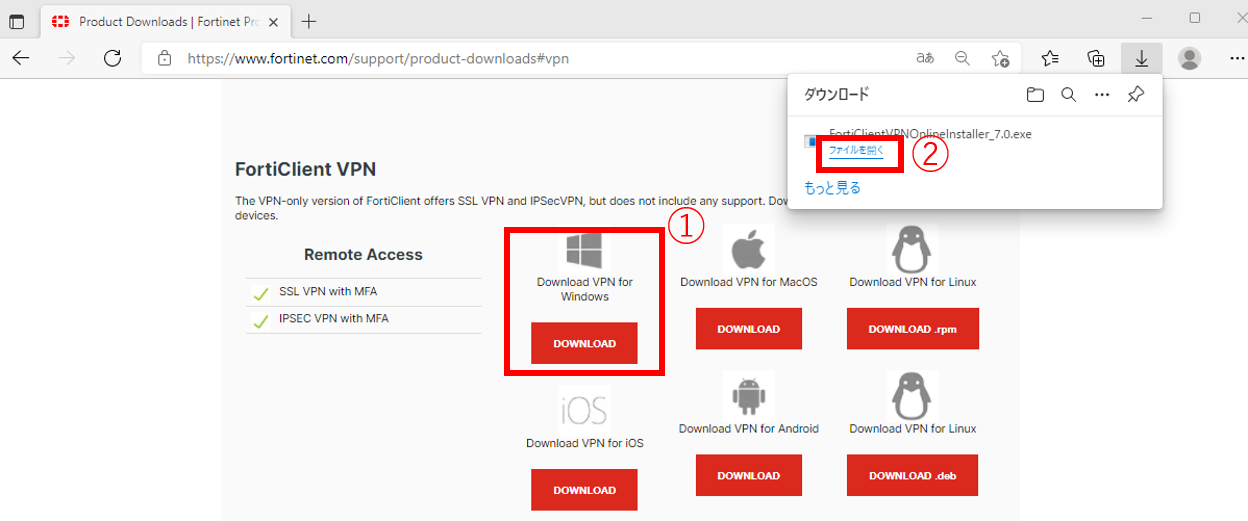
Click on the URL below to access the official ForiClient website page, then download the FortiClient VPN client software for Windows or Mac from 'FortiClient VPN' at the bottom of the displayed page. Click on ① and ② in the diagram below to download the software.
- FortiClient official website:https://www.fortinet.com/support/product-downloads
<Windows>
<Mac>

🆀 VPN connection to the personal genome analysis division cannot be established.
🅐 If you got the error Credential or ssl vpn configuration is wrong (-7200) when accessing the personal genome analysis division with FortiClient on Windows 10 or 11,
Control Panel => Internet Options => Security tab => Trusted Sites
Register the SSL-VPN address here.

🆀 When logging in to FortiClient, the "Security Warning" dialogue box does not appear and does not proceed beyond about 40% status.
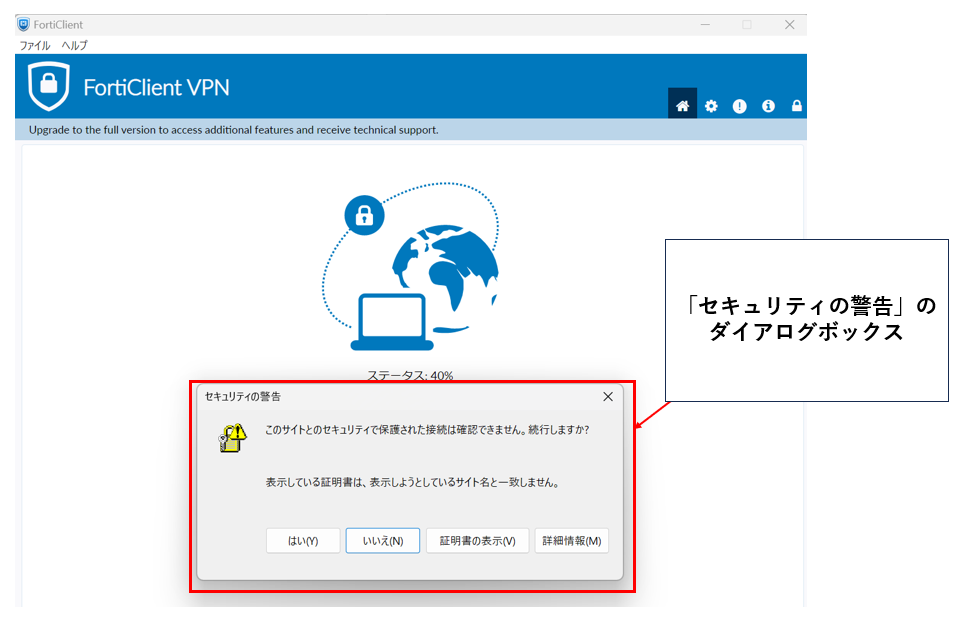
🅐 If the connection does not proceed beyond about 40% and does not connect,
- first, check that the dialogue box is not behind another screen or window.
- second, if this does not solve the problem, see 'Installing FortiClient VPN Client software' and reinstall the latest FortiClient.
🆀 When entering your username and password for FortiClient for an SSL-VPN connection to the personal genome analysis division, the one-time password is not sent to the email address associated with your VPN account.
🅐
- Google has tightened the security since 1 March 2022, therefore there have been incidents that the email with one-time password from the NIG supercomputer VPN is not sent to gmail.
- We recommend that you register your institution's email address instead of a free email to sent the e-mail to the wrong person.